
The Big Question
Let me be blunt: attractive design without usability is art. Usability without attractive design is a spreadsheet. Neither builds a business.
The question—“What makes a website design attractive and user-friendly?”—sounds simple. But after five years of shipping AI-powered solutions and watching clients chase trends that tank their conversion rates, I can tell you the answer is never purely visual.
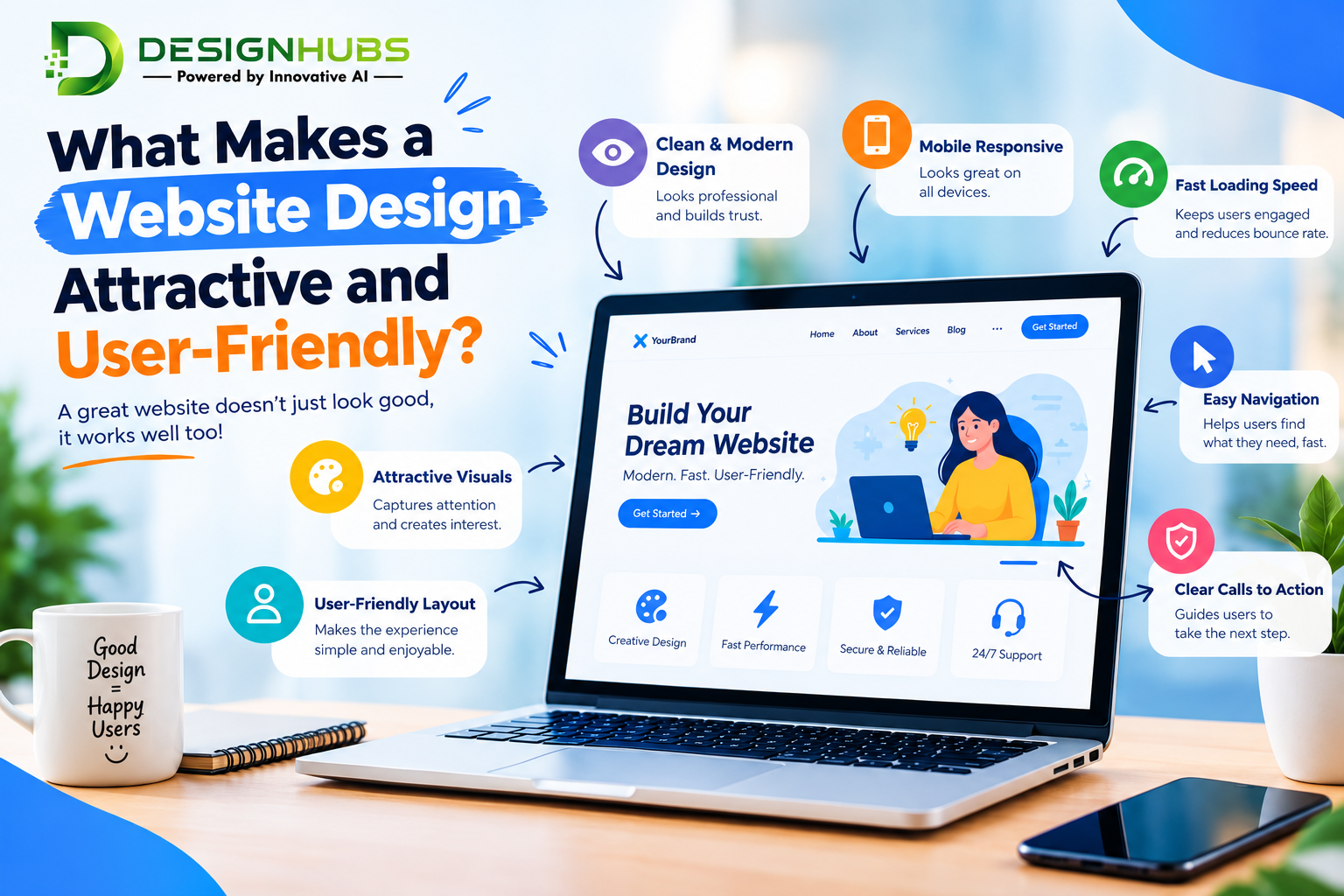
Attractiveness earns the first glance. User-friendliness earns the second click. According to established design principles, an effective website must fulfill its intended function while engaging the visitor—and that balance hinges on consistency, typography, imagery, simplicity, and raw functionality . Eye-tracking research has shown that visitors scan in an F-shaped pattern, meaning your most important content must live in the top and left zones of the screen . If your “beautiful” hero section buries the value proposition beneath a looping video and a vague slogan, you’ve already lost them.
Simplicity is not a luxury. It’s the baseline. Nearly half of web visitors expect a site to load in two seconds or less, and waiting is the fastest way to lose a visitor permanently . Speed is usability. Clarity is attractiveness. And when those two work together, you get something rare: a website that feels effortless.
From my CEO seat, I’ve watched clients obsess over color palettes while ignoring navigation depth. I’ve seen gorgeous portfolios that take eight seconds to load. The truth is, the most attractive website is the one that respects the visitor’s time, intelligence, and intent. Everything else is decoration.
Cost Based on Website Type (2026 Rates)
Let’s talk numbers, because this is where most conversations get uncomfortable. Pricing for website design in 2026 is not a single number. It’s a range shaped by scope, complexity, and who you hire.
Based on current agency benchmarks, a template-based design suitable for small businesses or simple eCommerce runs between $1,000 and $5,000 . Custom design for medium-sized businesses or service providers typically lands between $5,000 and $30,000+ . Enterprise-level platforms with heavy traffic, deep integrations, and custom development start around $50,000 and climb past $200,000 .
More granular project ranges tell a similar story. A single landing page in 2026 might cost $1,500 to $5,000. A brochure site with five to eight pages sits around $4,000 to $12,000. A small business site with a blog pushes into the $8,000 to $20,000 band. Templated eCommerce starts near $12,000** and runs to **$30,000, while custom eCommerce or web app builds begin at $30,000** and can exceed **$80,000 .
Here’s what I tell my own clients: if your website is a business card, spend accordingly. If your website is your storefront, your sales team, and your first impression wrapped into one, underpaying is the most expensive decision you’ll make.
Breakdown by Developer Type (2020–2026 Rates)
The developer you choose changes everything—not just the price, but the ceiling of what your site can become.
Freelance HTML and front-end developers show a wide spread. Entry-level developers with one to two years of experience typically charge $20 to $30 per hour for straightforward coding tasks. Mid-level professionals with three to five years command $30 to $75 per hour, bringing deeper knowledge of accessibility, performance, and frameworks. Senior developers with five-plus years of specialized experience charge $65 to $200 per hour, especially for complex applications, email template systems, or enterprise-grade implementations .
Agency rates run higher because you’re paying for process, project management, and accountability. US agency pricing for a simple five-page site starts around $7,000 to $10,000, with mid-complexity builds (15–40 pages, custom CMS, basic integrations) landing between $15,000 and $30,000 . The hourly equivalent for professional agency work typically falls between $75 and $200, depending on specialism .
The 2020–2026 arc matters here. Between 2020 and 2023, development was still a bottleneck. By 2026, AI-assisted coding agents have compressed the raw development timeline significantly. Some developers argue that development costs have dropped to 10–20% of what they were four years ago, though agency pricing hasn’t always reflected that shift . The smart money in 2026 goes to developers who use AI to accelerate without sacrificing quality—and who pass some of that efficiency back to you.
Why Prices Changed in 2026
Three forces reshaped web design pricing this year, and ignoring them will cost you.
First, AI changed the production layer. AI coding agents can generate components, implement features, and troubleshoot errors faster than ever . The raw act of writing code is no longer the bottleneck it once was. But—and this is critical—AI cannot guarantee correctness, security, or strategic alignment. It accelerates execution, not judgment. The developers who understand this are delivering faster without cutting corners. The ones who don’t are either overcharging for commodity work or underdelivering on complex builds.
Second, the definition of “website” has expanded. A site is no longer a static brochure. It’s a CRM integration, a booking engine, a personalized experience layer, an AI chatbot, a data collection pipeline. Each layer adds cost. The moment people log in and the site remembers things about them, you’ve crossed from website pricing into web app pricing . That distinction alone can double or triple a quote.
Third, transparency is improving—slowly. Clients are asking harder questions. They want to know what’s included in the quote, who owns the hosting, what happens after launch, and whether the developer disappears the moment the invoice clears . Agencies that answer these questions upfront are winning trust. Those that don’t are losing deals to freelancers who communicate better.
The net effect: 2026 pricing is less about “what it costs to build” and more about “what it costs to build right.” Cheap sites are cheaper than ever. Quality sites are still an investment. The gap between them is wider than most business owners realize.
Pro Tips to Save Money in 2026
I’ve signed off on enough budgets to know where money leaks. Here’s how to keep yours.
Define scope before you ask for a quote. A web quote without a written scope and an exclusions list is an open invitation to scope creep . Know how many pages you need, who writes the copy, how many revision rounds are included, and what functionality is explicitly excluded. Vague briefs produce expensive surprises.
Use AI for prototyping, not final production. AI builders can spin up a first version in days . Use them to validate ideas, test layouts, and align stakeholders. Then hand a real developer a clear, tested direction. You’ll pay for fewer discovery hours and fewer revision cycles.
Compress images and audit performance before launch. Speed is usability, and slow sites cost money in lost conversions. Image compression is one of the cheapest performance wins available . Don’t let a beautiful design die because someone uploaded a 4MB hero image.
Ask about post-launch costs upfront. Hosting, security, backups, plugin updates, and content edits are recurring expenses that rarely appear in the headline quote . A site that costs $8,000 to build but $400 a month to maintain is a different financial commitment than one that costs $12,000 with minimal ongoing overhead. Know both numbers.
Choose a developer who explains their decisions. The best money you spend is on someone who can tell you why they chose a framework, a hosting setup, or a navigation structure—in plain English . If they can’t explain it, they probably don’t understand it well enough to maintain it.
Questions to Ask Before Hiring
Before you sign anything, ask these five questions. The answers will tell you more than any portfolio.
1. Who owns the domain, hosting, and accounts? The answer should be you—in your name, on your card . Developers who hold your assets hostage under their own accounts are creating a trap you’ll pay to escape later.
2. What exactly is included in this quote—and what isn’t? Ask about hosting setup, analytics integration, responsive design, content migration, and training. A fixed price that excludes essentials is not a fixed price .
3. What happens after launch? Who fixes bugs? Who handles security updates? What does ongoing support cost? Many no-code and AI-augmented builds are iterative by nature—you’ll want continuity .
4. How will you measure success? Define KPIs before the build starts—conversion, leads, engagement, load time, accessibility scores. A developer who can’t connect design decisions to business outcomes is a decorator, not a partner .
5. If you disappear tomorrow, what happens to my site? This is uncomfortable but essential. Can another developer take over? Is the code documented? Are the accounts transferable? The answer should be honest and specific .
Why Delhi is a Great Hub for AI Development
I’ll admit a bias here: I’ve built my company in this ecosystem, and I’ve watched it transform.
Delhi is no longer just a market. It’s an infrastructure play. The Delhi government has announced two AI Centres of Excellence under the IndiaAI Mission, with each center backed by ₹20 crore in investment. Over four years, these centers are expected to support nearly 100 startups, train more than 7,000 individuals, and generate over 1,000 jobs . Institutions like Netaji Subhas University of Technology and Guru Gobind Singh Indraprastha University are collaborating, bridging academia, industry, and government in a way few regions can match.
For a business looking for AI-integrated web design or development, this matters practically. Delhi’s talent pool is deeper, the cost structure is more competitive than Western markets, and the policy environment is actively pushing toward AI adoption in real-world applications—including governance, public service delivery, and citizen experience .
But the real advantage is proximity. When your web developer and your AI solutions partner sit in the same ecosystem, the feedback loop tightens. Design decisions get informed by technical reality. AI features get baked into the user experience from day one, not bolted on six months later. That’s the difference between a website that uses AI and a website that works because of it.
What We Offer
At our core, we solve the problem this entire article is about: making websites that are both attractive and genuinely user-friendly, powered by AI where it adds value and stripped of complexity where it doesn’t.
We bring five years of AI solution experience to every web project. That means we don’t just design pages—we design intelligent experiences. Chatbots that actually help. Personalization that feels natural. Search that understands intent. Forms that anticipate what the user needs next.
We work with clients who want clarity, not jargon. We scope projects honestly, price them transparently, and build with the assumption that you’ll want to own and control your digital assets—not rent them from us.
If you’re ready to stop guessing what makes a website work and start building one that does, we should talk. You can explore our work and reach out through DesignHubs.
Frequently Asked Questions
Is an attractive website always expensive?
No. Attractiveness comes from hierarchy, consistency, whitespace, and typography—not from a massive budget. A clean, fast, well-organized template site can be deeply attractive. What costs money is customization, integration, and strategic depth.
How long should a website take to build in 2026?
A focused landing page or small brochure site can go live in one to three weeks. A mid-complexity business site typically runs four to eight weeks. Custom platforms and web apps can take three to six months or more, depending on integrations and feedback cycles .
Can I use AI to build my website myself?
Yes, for prototypes, simple sites, and early validation. AI builders are excellent for getting a first version live quickly . But for anything revenue-critical, security-sensitive, or integration-heavy, you’ll want human judgment overseeing the final build. AI accelerates; it doesn’t take responsibility.
What’s the biggest mistake business owners make with web design?
Prioritizing how the site looks to them over how it works for their visitors. The second biggest mistake is hiring the cheapest quote and paying for it twice when the site needs to be rebuilt.
Frequently Asked Questions (Extended)
How do I know if my website is user-friendly?
Watch five people who have never seen it try to complete one task—find a product, fill a form, contact you. Don’t guide them. If more than one hesitates or fails, you have a usability problem. Free tools like Hotjar and GA4 can give you behavioral data, but nothing replaces watching a real person struggle in silence .
Should I prioritize mobile or desktop design?
Mobile. Nearly half of internet traffic comes from mobile devices, and users are significantly more likely to buy from mobile-friendly companies . Design for the smallest screen first, then expand. If it works on a phone, it will work everywhere. The reverse is rarely true.
What is the single most important element of an attractive website?
Visual hierarchy. The arrangement of elements by size, color, contrast, and spacing tells the visitor where to look first, second, and third . Without hierarchy, even a beautiful site becomes noise. With it, a simple site becomes effortless.
How often should I redesign my website?
Not on a calendar. Redesign when your business model changes, when your conversion data plateaus despite traffic growth, when your site no longer reflects what you actually do, or when mobile performance drops below acceptable thresholds. A well-maintained site can last three to five years. A neglected one starts decaying in months.
Tagline
Design that attracts. Intelligence that keeps them.
— DesignHubs, where AI meets user-first web design.
Meta Title: What Makes a Website Design Attractive and User-Friendly? (2026 CEO Guide)
Focus Keyword: website design attractive user-friendly
Meta Description: A 5-year AI CEO reveals what makes website design attractive and user-friendly—plus 2026 costs, hiring tips, and why Delhi leads AI development.
Meta Keywords: website design, user-friendly website, web design cost 2026, hire web developer, AI development Delhi, designhubs
Excerpt (Short Description)
After five years running an AI solutions company, I've reviewed hundreds of websites—some brilliant, many painful. The difference between a site people love and one they abandon in three seconds rarely comes down to "pretty." It comes down to a quiet, often misunderstood marriage of aesthetics and usability. In this guide, I'll walk you through what actually makes a website attractive and user-friendly, what it costs in 2026, and how to avoid burning money on the wrong developer. If you're serious about your digital presence, this is the conversation you need to have before you sign another contract.
The Big Question
Let me be blunt: attractive design without usability is art. Usability without attractive design is a spreadsheet. Neither builds a business.
The question—"What makes a website design attractive and user-friendly?"—sounds simple. But after five years of shipping AI-powered solutions and watching clients chase trends that tank their conversion rates, I can tell you the answer is never purely visual.
Attractiveness earns the first glance. User-friendliness earns the second click. According to established design principles, an effective website must fulfill its intended function while engaging the visitor—and that balance hinges on consistency, typography, imagery, simplicity, and raw functionality. Eye-tracking research has shown that visitors scan in an F-shaped pattern, meaning your most important content must live in the top and left zones of the screen. If your "beautiful" hero section buries the value proposition beneath a looping video and a vague slogan, you've already lost them.
Simplicity is not a luxury. It's the baseline. Nearly half of web visitors expect a site to load in two seconds or less, and waiting is the fastest way to lose a visitor permanently. Speed is usability. Clarity is attractiveness. And when those two work together, you get something rare: a website that feels effortless.
From my CEO seat, I've watched clients obsess over color palettes while ignoring navigation depth. I've seen gorgeous portfolios that take eight seconds to load. The truth is, the most attractive website is the one that respects the visitor's time, intelligence, and intent. Everything else is decoration.
Cost Based on Website Type (2026 Rates)
Let's talk numbers, because this is where most conversations get uncomfortable. Pricing for website design in 2026 is not a single number. It's a range shaped by scope, complexity, and who you hire.
Based on current agency benchmarks, a template-based design suitable for small businesses or simple eCommerce runs between $1,000 and $5,000. Custom design for medium-sized businesses or service providers typically lands between $5,000 and $30,000+. Enterprise-level platforms with heavy traffic, deep integrations, and custom development start around $50,000 and climb past $200,000.
More granular project ranges tell a similar story. A single landing page in 2026 might cost $1,500 to $5,000. A brochure site with five to eight pages sits around $4,000 to $12,000. A small business site with a blog pushes into the $8,000 to $20,000 band. Templated eCommerce starts near $12,000** and runs to **$30,000, while custom eCommerce or web app builds begin at $30,000** and can exceed **$80,000.
Here's what I tell my own clients: if your website is a business card, spend accordingly. If your website is your storefront, your sales team, and your first impression wrapped into one, underpaying is the most expensive decision you'll make.
Breakdown by Developer Type (2020–2026 Rates)
The developer you choose changes everything—not just the price, but the ceiling of what your site can become.
Freelance HTML and front-end developers show a wide spread. Entry-level developers with one to two years of experience typically charge $20 to $30 per hour for straightforward coding tasks. Mid-level professionals with three to five years command $30 to $75 per hour, bringing deeper knowledge of accessibility, performance, and frameworks. Senior developers with five-plus years of specialized experience charge $65 to $200 per hour, especially for complex applications, email template systems, or enterprise-grade implementations.
Agency rates run higher because you're paying for process, project management, and accountability. US agency pricing for a simple five-page site starts around $7,000 to $10,000, with mid-complexity builds (15–40 pages, custom CMS, basic integrations) landing between $15,000 and $30,000. The hourly equivalent for professional agency work typically falls between $75 and $200, depending on specialism.
The 2020–2026 arc matters here. Between 2020 and 2023, development was still a bottleneck. By 2026, AI-assisted coding agents have compressed the raw development timeline significantly. Some developers argue that development costs have dropped to 10–20% of what they were four years ago, though agency pricing hasn't always reflected that shift. The smart money in 2026 goes to developers who use AI to accelerate without sacrificing quality—and who pass some of that efficiency back to you.
Why Prices Changed in 2026
Three forces reshaped web design pricing this year, and ignoring them will cost you.
First, AI changed the production layer. AI coding agents can generate components, implement features, and troubleshoot errors faster than ever. The raw act of writing code is no longer the bottleneck it once was. But—and this is critical—AI cannot guarantee correctness, security, or strategic alignment. It accelerates execution, not judgment. The developers who understand this are delivering faster without cutting corners. The ones who don't are either overcharging for commodity work or underdelivering on complex builds.
Second, the definition of "website" has expanded. A site is no longer a static brochure. It's a CRM integration, a booking engine, a personalized experience layer, an AI chatbot, a data collection pipeline. Each layer adds cost. The moment people log in and the site remembers things about them, you've crossed from website pricing into web app pricing. That distinction alone can double or triple a quote.
Third, transparency is improving—slowly. Clients are asking harder questions. They want to know what's included in the quote, who owns the hosting, what happens after launch, and whether the developer disappears the moment the invoice clears. Agencies that answer these questions upfront are winning trust. Those that don't are losing deals to freelancers who communicate better.
The net effect: 2026 pricing is less about "what it costs to build" and more about "what it costs to build right." Cheap sites are cheaper than ever. Quality sites are still an investment. The gap between them is wider than most business owners realize.
Pro Tips to Save Money in 2026
I've signed off on enough budgets to know where money leaks. Here's how to keep yours.
Define scope before you ask for a quote. A web quote without a written scope and an exclusions list is an open invitation to scope creep. Know how many pages you need, who writes the copy, how many revision rounds are included, and what functionality is explicitly excluded. Vague briefs produce expensive surprises.
Use AI for prototyping, not final production. AI builders can spin up a first version in days. Use them to validate ideas, test layouts, and align stakeholders. Then hand a real developer a clear, tested direction. You'll pay for fewer discovery hours and fewer revision cycles.
Compress images and audit performance before launch. Speed is usability, and slow sites cost money in lost conversions. Image compression is one of the cheapest performance wins available. Don't let a beautiful design die because someone uploaded a 4MB hero image.
Ask about post-launch costs upfront. Hosting, security, backups, plugin updates, and content edits are recurring expenses that rarely appear in the headline quote. A site that costs $8,000 to build but $400 a month to maintain is a different financial commitment than one that costs $12,000 with minimal ongoing overhead. Know both numbers.
Choose a developer who explains their decisions. The best money you spend is on someone who can tell you why they chose a framework, a hosting setup, or a navigation structure—in plain English. If they can't explain it, they probably don't understand it well enough to maintain it.
Questions to Ask Before Hiring
Before you sign anything, ask these five questions. The answers will tell you more than any portfolio.
1. Who owns the domain, hosting, and accounts? The answer should be you—in your name, on your card. Developers who hold your assets hostage under their own accounts are creating a trap you'll pay to escape later.
2. What exactly is included in this quote—and what isn't? Ask about hosting setup, analytics integration, responsive design, content migration, and training. A fixed price that excludes essentials is not a fixed price.
3. What happens after launch? Who fixes bugs? Who handles security updates? What does ongoing support cost? Many no-code and AI-augmented builds are iterative by nature—you'll want continuity.
4. How will you measure success? Define KPIs before the build starts—conversion, leads, engagement, load time, accessibility scores. A developer who can't connect design decisions to business outcomes is a decorator, not a partner.
5. If you disappear tomorrow, what happens to my site? This is uncomfortable but essential. Can another developer take over? Is the code documented? Are the accounts transferable? The answer should be honest and specific.
Why Delhi is a Great Hub for AI Development
I'll admit a bias here: I've built my company in this ecosystem, and I've watched it transform.
Delhi is no longer just a market. It's an infrastructure play. The Delhi government has announced two AI Centres of Excellence under the IndiaAI Mission, with each center backed by ₹20 crore in investment. Over four years, these centers are expected to support nearly 100 startups, train more than 7,000 individuals, and generate over 1,000 jobs. Institutions like Netaji Subhas University of Technology and Guru Gobind Singh Indraprastha University are collaborating, bridging academia, industry, and government in a way few regions can match.
For a business looking for AI-integrated web design or development, this matters practically. Delhi's talent pool is deeper, the cost structure is more competitive than Western markets, and the policy environment is actively pushing toward AI adoption in real-world applications—including governance, public service delivery, and citizen experience.
But the real advantage is proximity. When your web developer and your AI solutions partner sit in the same ecosystem, the feedback loop tightens. Design decisions get informed by technical reality. AI features get baked into the user experience from day one, not bolted on six months later. That's the difference between a website that uses AI and a website that works because of it.
What We Offer
At our core, we solve the problem this entire article is about: making websites that are both attractive and genuinely user-friendly, powered by AI where it adds value and stripped of complexity where it doesn't.
We bring five years of AI solution experience to every web project. That means we don't just design pages—we design intelligent experiences. Chatbots that actually help. Personalization that feels natural. Search that understands intent. Forms that anticipate what the user needs next.
We work with clients who want clarity, not jargon. We scope projects honestly, price them transparently, and build with the assumption that you'll want to own and control your digital assets—not rent them from us.
If you're ready to stop guessing what makes a website work and start building one that does, we should talk. You can explore our work and reach out through DesignHubs.
Frequently Asked Questions
Is an attractive website always expensive?
No. Attractiveness comes from hierarchy, consistency, whitespace, and typography—not from a massive budget. A clean, fast, well-organized template site can be deeply attractive. What costs money is customization, integration, and strategic depth.
How long should a website take to build in 2026?
A focused landing page or small brochure site can go live in one to three weeks. A mid-complexity business site typically runs four to eight weeks. Custom platforms and web apps can take three to six months or more, depending on integrations and feedback cycles.
Can I use AI to build my website myself?
Yes, for prototypes, simple sites, and early validation. AI builders are excellent for getting a first version live quickly. But for anything revenue-critical, security-sensitive, or integration-heavy, you'll want human judgment overseeing the final build. AI accelerates; it doesn't take responsibility.
What's the biggest mistake business owners make with web design?
Prioritizing how the site looks to them over how it works for their visitors. The second biggest mistake is hiring the cheapest quote and paying for it twice when the site needs to be rebuilt.