
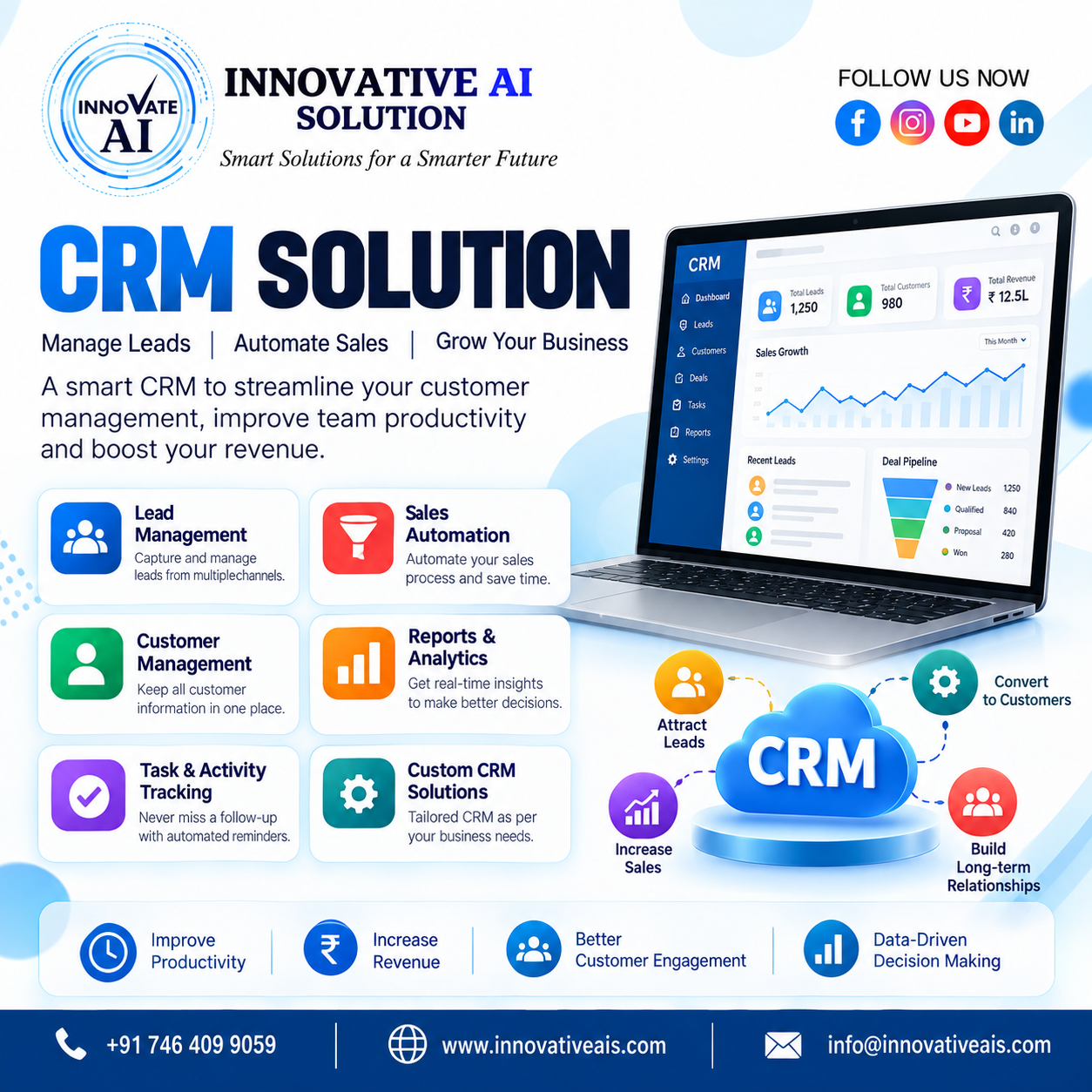
CRM Software Development: Powerful Customer Relationship Management Solutions for Modern Businesses
In today’s competitive business environment, managing customers, leads, sales activities, follow-ups, and business communication efficiently is essential for long-term growth. A Customer Relationship Management (CRM) system helps businesses organize customer information, automate repetitive tasks, manage sales pipelines, improve communication, and build stronger customer relationships.
A professional CRM software solution gives businesses a centralized platform where teams can manage leads, customers, sales opportunities, follow-ups, tasks, communications, reports, and business processes from one place. Instead of depending on spreadsheets, emails, WhatsApp conversations, or multiple disconnected tools, businesses can use a customized CRM system designed around their specific requirements.
Whether you operate a real estate company, educational institute, healthcare organization, financial service, e-commerce business, travel company, B2B organization, startup, or enterprise, a CRM solution can help improve productivity and customer management.
What Is CRM Software?
CRM stands for Customer Relationship Management. CRM software is a technology solution that helps businesses manage their interactions and relationships with existing and potential customers.
A CRM system stores important customer and business information in a centralized database. Sales and marketing teams can access customer details, track leads, monitor conversations, schedule follow-ups, manage sales activities, and analyze business performance.
A modern CRM platform can include features such as:
-
Lead management
-
Customer management
-
Sales pipeline management
-
Contact management
-
Follow-up management
-
Task management
-
Email integration
-
WhatsApp integration
-
Telecalling management
-
Marketing automation
-
Reports and analytics
-
Sales dashboards
-
Employee management
-
Customer support
-
Invoice management
-
Appointment management
-
Notifications and reminders
-
Role-based access
-
AI-powered automation
The objective of CRM software is simple: help businesses acquire customers, manage relationships, improve sales, and retain customers more effectively.
Why Does Your Business Need CRM Software?
Many businesses still manage customer information using Excel sheets, notebooks, emails, messaging applications, or multiple independent systems. As the business grows, this approach can create problems.
Leads can be missed, follow-ups can be delayed, customer information can become difficult to find, and managers may not have complete visibility into sales activities.
A CRM solution brings all essential customer and sales information into one centralized system.
Centralized Customer Data
A CRM stores customer information in one place. Your team can quickly access customer names, phone numbers, email addresses, previous interactions, requirements, follow-up dates, sales stages, and other relevant information.
Better Lead Management
CRM software allows businesses to capture leads from different sources and assign them to the appropriate sales representatives. Teams can track every lead from the initial inquiry to conversion.
Improved Follow-Ups
Follow-ups are one of the most important parts of sales. CRM systems can provide reminders and notifications so your sales team knows when to contact a prospect.
Increased Sales Productivity
Instead of spending hours searching for customer information or updating multiple spreadsheets, employees can manage their activities from a single dashboard.
Better Business Visibility
Managers can monitor sales pipelines, employee activities, lead sources, conversions, pending follow-ups, and overall business performance through reports and dashboards.
Custom CRM Software Development
Every business has different processes, customers, sales cycles, and operational requirements. Therefore, a standard CRM platform may not always provide everything a business needs.
Custom CRM software development allows businesses to build a CRM system according to their specific workflow.
A custom CRM can be designed around your business requirements, including custom dashboards, lead stages, user roles, workflows, reports, integrations, and automation.
For example, a real estate company may require property management and site-visit tracking, while an educational institute may need admission lead management and counselor follow-ups.
A custom CRM can be developed to support these unique processes.
Benefits of Custom CRM Development
Business-Specific Features
Your CRM can be developed according to your exact business workflow.
Scalable Architecture
A custom CRM can grow along with your business and support additional users, modules, integrations, and features.
Better Automation
Repetitive business activities can be automated to reduce manual work.
Third-Party Integrations
A CRM can be integrated with websites, mobile applications, email platforms, payment gateways, WhatsApp solutions, telephony systems, APIs, and other business applications.
Improved Security
Businesses can implement authentication, permissions, role-based access, data protection, and other security mechanisms according to their requirements.
Key Features of CRM Software
A modern CRM solution can include multiple modules designed to manage the complete customer journey.
1. Lead Management
Lead management is one of the most important CRM features.
Businesses can capture leads from websites, landing pages, advertisements, social media, forms, phone calls, email campaigns, and other sources.
The CRM can automatically store and categorize these leads.
Sales teams can view:
-
Lead name
-
Contact details
-
Lead source
-
Requirement
-
Assigned employee
-
Lead status
-
Follow-up date
-
Sales stage
-
Notes
-
Previous communication
This helps sales teams manage prospects systematically.
2. Customer Management
CRM software provides a centralized customer database where businesses can maintain complete customer profiles.
Teams can access customer information without searching through multiple applications or spreadsheets.
3. Sales Pipeline Management
A CRM sales pipeline provides a visual representation of the sales process.
For example:
New Lead → Contacted → Qualified → Proposal Sent → Negotiation → Won/Lost
This allows managers and sales representatives to understand where every opportunity currently stands.
4. Follow-Up Management
CRM software can help employees schedule and track follow-ups.
The system can provide reminders for:
-
Calls
-
Meetings
-
Emails
-
Product demonstrations
-
Proposals
-
Renewals
-
Payments
-
Customer support
This reduces the possibility of missing important opportunities.
5. Task Management
Sales and support teams can create tasks and assign them to employees.
Managers can monitor task completion and employee productivity from the CRM dashboard.
6. Dashboard and Reports
CRM dashboards provide valuable information about business performance.
Reports can include:
-
Total leads
-
New customers
-
Converted leads
-
Lost leads
-
Sales revenue
-
Pending follow-ups
-
Employee performance
-
Lead sources
-
Monthly sales
-
Conversion rate
Data-driven reporting helps management make better business decisions.
7. Communication Management
A CRM can centralize customer communication.
Depending on business requirements, CRM systems can integrate:
-
Email
-
Phone
-
SMS
-
WhatsApp
-
Website chat
-
Social media
-
Notifications
This gives teams better visibility into customer interactions.
8. Role-Based Access
Different employees may require different levels of access.
A CRM can provide roles such as:
-
Super Admin
-
Admin
-
Sales Manager
-
Sales Executive
-
Marketing Manager
-
Support Executive
-
Accountant
Permissions can be configured according to organizational requirements.
AI-Powered CRM Software
Artificial Intelligence is transforming traditional CRM systems into intelligent business platforms.
An AI-powered CRM can analyze customer information, automate repetitive activities, provide recommendations, and help employees make faster decisions.
AI can be integrated into CRM systems for:
-
AI chatbots
-
Lead qualification
-
Automated responses
-
Customer segmentation
-
Sales predictions
-
Follow-up recommendations
-
AI-generated emails
-
Customer sentiment analysis
-
Lead scoring
-
Voice assistants
-
AI calling agents
-
Data analysis
For example, an AI system can analyze customer interactions and help identify leads that are more likely to convert.
An AI chatbot can also answer common customer questions and collect lead information before transferring the conversation to a sales representative.
CRM Chatbot Integration
Businesses receive customer inquiries through websites and digital channels every day. Responding manually to every inquiry can be time-consuming.
A CRM chatbot can connect customer conversations directly with the CRM system.
For example, when a visitor opens a website, the chatbot can ask:
“How can we help you?”
The chatbot can collect:
-
Name
-
Phone number
-
Email address
-
Service requirement
-
Budget
-
Location
-
Preferred contact time
The information can then be stored in the CRM as a new lead.
This combination of CRM + AI chatbot can improve lead collection and customer response time.
CRM for Sales Teams
Sales teams need accurate information and timely follow-ups to convert leads into customers.
A CRM helps sales representatives manage the entire sales cycle.
A sales executive can log in and see:
-
New assigned leads
-
Today's follow-ups
-
Pending tasks
-
Customer requirements
-
Previous communication
-
Upcoming meetings
-
Sales opportunities
-
Converted customers
This creates a structured sales process and reduces dependency on manual records.
CRM for Marketing Teams
CRM software can also support marketing activities.
Marketing teams can analyze customer data and identify different customer segments.
For example, customers can be categorized according to:
-
Industry
-
Location
-
Product interest
-
Purchase history
-
Lead source
-
Customer type
-
Engagement level
This information can help businesses create more targeted marketing campaigns.
CRM data can also help organizations understand which marketing channels are generating better-quality leads.
CRM for Customer Support
Customer relationship management does not end after a sale.
Businesses need to provide continuous customer support to maintain long-term relationships.
A CRM support module can help manage:
-
Customer complaints
-
Support tickets
-
Service requests
-
Queries
-
Feedback
-
Complaints
-
Resolution status
Support representatives can view previous customer interactions before responding to a request.
This can result in faster and more personalized customer service.
Industry-Specific CRM Solutions
CRM software can be customized for different industries.
Real Estate CRM
A real estate CRM can help manage:
-
Property leads
-
Buyer and seller information
-
Site visits
-
Property requirements
-
Sales agents
-
Follow-ups
-
Property inventory
-
Deals
-
Customer communication
A real estate CRM can help brokers and property companies manage a large number of leads more efficiently.
Education CRM
Educational institutions can use CRM systems for:
-
Student inquiries
-
Admission leads
-
Counselor management
-
Follow-ups
-
Course information
-
Application tracking
-
Student communication
Healthcare CRM
Healthcare organizations can use CRM solutions for:
-
Patient inquiries
-
Appointment management
-
Patient communication
-
Follow-ups
-
Service management
-
Feedback
Travel CRM
Travel companies can manage:
-
Customer inquiries
-
Travel packages
-
Booking leads
-
Follow-ups
-
Customer preferences
-
Sales representatives
E-commerce CRM
E-commerce businesses can use CRM software to manage customer profiles, purchase history, customer support, marketing campaigns, and retention activities.
B2B CRM
B2B businesses often have longer sales cycles. CRM software helps organizations manage multiple stakeholders, proposals, meetings, negotiations, and follow-ups throughout the sales process.
CRM Integration Services
A CRM system becomes more powerful when it connects with other business tools.
CRM integration services can connect the CRM with:
-
Business websites
-
Mobile applications
-
Email platforms
-
WhatsApp
-
SMS gateways
-
Payment gateways
-
Accounting software
-
Telephony systems
-
Marketing platforms
-
APIs
-
Cloud services
-
AI tools
-
Chatbots
For example, a website inquiry form can automatically create a lead inside the CRM.
This eliminates manual data entry and helps sales teams respond quickly.
Mobile CRM Solutions
Modern businesses need access to customer information from anywhere.
A mobile CRM application allows employees to manage leads and customer information using smartphones and tablets.
Sales employees working outside the office can:
-
View leads
-
Update customer information
-
Make notes
-
Schedule follow-ups
-
Check tasks
-
Update sales stages
-
Communicate with customers
-
View reports
A mobile CRM can improve flexibility and productivity for remote and field sales teams.
Cloud-Based CRM Software
Cloud CRM solutions allow businesses to access their CRM system through the internet.
Instead of maintaining complex infrastructure on-premises, businesses can use cloud-based systems.
Benefits include:
-
Remote accessibility
-
Scalability
-
Centralized data
-
Automated backups
-
Easier updates
-
Flexible user management
-
Reduced infrastructure requirements
Cloud CRM solutions are especially useful for businesses with distributed or hybrid teams.
CRM Automation
Automation is one of the biggest advantages of modern CRM software.
Businesses can automate repetitive tasks such as:
-
Lead assignment
-
Follow-up reminders
-
Email notifications
-
Customer notifications
-
Lead status updates
-
Task creation
-
Sales alerts
-
Renewal reminders
-
Marketing workflows
For example, when a new lead enters the CRM, the system can automatically assign it to a sales executive and create a follow-up task.
This reduces manual work and helps employees focus on higher-value activities.
Benefits of CRM Software for Businesses
Implementing CRM software can provide several business benefits.
Improved Customer Relationships
Businesses can maintain detailed customer information and provide more personalized communication.
Better Lead Conversion
Systematic lead tracking and timely follow-ups can improve sales opportunities.
Increased Productivity
Employees spend less time searching for information and performing repetitive administrative tasks.
Centralized Information
Customer, sales, and communication information can be managed through a single platform.
Better Decision-Making
Reports and analytics provide valuable insights into business performance.
Improved Team Collaboration
Sales, marketing, support, and management teams can work with shared customer information.
Reduced Manual Work
Automation can reduce repetitive tasks and improve operational efficiency.
How to Choose the Right CRM Development Company
Selecting the right CRM development company is important because CRM software becomes an important part of your business operations.
Before selecting a development partner, consider:
Technical Experience
Check the company's experience with web applications, mobile applications, cloud technologies, APIs, databases, and software development.
Customization Capabilities
The development company should understand your business requirements and create customized workflows.
Integration Experience
Ask whether the company can integrate your CRM with existing software and third-party services.
Scalability
The CRM should be capable of supporting future business growth.
Security
Customer information is valuable business data. Security, authentication, authorization, backups, and access controls should be considered during development.
Support and Maintenance
Choose a development partner that can provide ongoing technical support, maintenance, updates, and improvements.
CRM Development Process
A professional CRM development project generally follows several stages.
Step 1: Requirement Analysis
The development team understands the company's business processes, users, challenges, and objectives.
Step 2: CRM Planning
The team defines modules, workflows, roles, integrations, database requirements, and technology architecture.
Step 3: UI/UX Design
The CRM interface is designed to be simple, professional, responsive, and easy to use.
Step 4: Development
Developers build the CRM modules and functionality according to the approved requirements.
Step 5: Integration
Required APIs and third-party systems are integrated with the CRM.
Step 6: Testing
The system is tested for functionality, performance, security, responsiveness, and usability.
Step 7: Deployment
After successful testing, the CRM is deployed to the required cloud or server environment.
Step 8: Training and Support
Employees are trained to use the CRM, and ongoing support can be provided after deployment.
Why Choose a Custom CRM Instead of Spreadsheets?
Spreadsheets can work for small businesses with limited customer data. However, as the number of leads and employees increases, spreadsheet-based management can become difficult.
Common challenges include:
-
Duplicate data
-
Manual updates
-
Missed follow-ups
-
Limited reporting
-
Difficult collaboration
-
Data inconsistency
-
Lack of automation
-
Limited access control
A CRM provides a structured system designed specifically for customer and sales management.
CRM Software for Small Businesses
CRM is not only for large enterprises.
Small and medium-sized businesses can also benefit from CRM software.
A CRM can help small businesses organize their leads, track sales activities, manage customer relationships, and understand their business performance.
A customized CRM can also start with essential modules and expand as the company grows.
This makes CRM software a scalable investment for growing businesses.
CRM Software for Enterprises
Large organizations often have complex sales processes and multiple departments.
Enterprise CRM systems can support:
-
Multiple branches
-
Multiple teams
-
Large customer databases
-
Advanced reporting
-
Department-based permissions
-
Complex workflows
-
API integrations
-
Advanced automation
-
Enterprise security
An enterprise CRM can provide management with a complete overview of customer and business operations.
CRM and Digital Transformation
CRM software is an important part of digital transformation.
Businesses are increasingly moving away from manual processes and adopting digital systems to improve efficiency.
A CRM can connect sales, marketing, customer support, automation, analytics, and communication into a single digital ecosystem.
When combined with AI, cloud technology, automation, and mobile applications, CRM can become a powerful platform for modern business operations.
Future of CRM Software
The future of CRM is moving toward intelligent automation and AI-powered customer management.
Businesses will increasingly use AI to analyze customer behavior, predict sales opportunities, automate communication, and provide personalized experiences.
Future CRM systems are expected to focus more on:
-
Artificial Intelligence
-
Predictive analytics
-
Voice AI
-
AI chatbots
-
Automated sales workflows
-
Customer behavior analysis
-
Personalized marketing
-
Intelligent lead scoring
-
Real-time analytics
-
Omnichannel communication
Businesses that adopt intelligent CRM solutions can improve their ability to understand customers and respond to changing market requirements.
Why Choose Innovative AI Solutions for CRM Development?
Innovative AI Solutions provides technology-focused business solutions designed to help organizations improve their digital operations.
Our services include CRM development, AI solutions, software development, website development, mobile application development, cloud and IT solutions, website designing, and digital marketing.
We understand that every business has different requirements. Instead of providing a one-size-fits-all solution, we can develop customized software according to your business workflow and objectives.
Our CRM solutions can be designed to support:
-
Lead management
-
Customer management
-
Sales management
-
Follow-up tracking
-
Employee management
-
Business dashboards
-
Reports and analytics
-
CRM automation
-
AI chatbot integration
-
Website integration
-
Mobile applications
-
Third-party API integrations
-
Role-based access
-
Cloud deployment
Our team focuses on developing scalable and user-friendly digital solutions that can support businesses as they grow.
Get a Customized CRM Solution for Your Business
Managing customer relationships effectively is essential for sustainable business growth. A professional CRM solution can help businesses organize customer data, improve lead management, automate repetitive processes, track sales activities, and provide better customer experiences.
Whether you need a custom CRM software solution, sales CRM, real estate CRM, AI-powered CRM, CRM chatbot, mobile CRM application, or CRM integration, the right technology partner can help transform your business processes.
At Innovative AI Solutions, we help businesses build technology solutions that align with their operational requirements and growth objectives.
If your business is currently managing leads and customers through spreadsheets, manual processes, or multiple disconnected applications, it may be time to move toward a centralized CRM platform.
Contact Innovative AI Solutions today to discuss your CRM software development requirements and build a customized CRM solution for your business.
Frequently Asked Questions About CRM Software
What is CRM software?
CRM software is a business application used to manage customer information, leads, sales activities, communication, follow-ups, and customer relationships from a centralized platform.
What is custom CRM software?
Custom CRM software is developed according to a company's specific business processes, workflows, features, integrations, and requirements.
How can CRM help increase sales?
CRM software helps sales teams organize leads, schedule follow-ups, track sales pipelines, manage customer information, and analyze sales performance.
Can CRM be integrated with a website?
Yes. CRM systems can be integrated with websites to automatically capture contact forms, inquiries, registrations, and other customer information as leads.
Can CRM include AI?
Yes. AI can be integrated into CRM software for chatbots, lead scoring, customer analysis, automated communication, sales predictions, AI calling agents, and other intelligent workflows.
Is CRM suitable for small businesses?
Yes. Small businesses can use CRM software to organize customer information, manage leads, improve follow-ups, and streamline sales operations.
Can CRM work on mobile devices?
Yes. Businesses can use responsive cloud CRM systems or dedicated mobile CRM applications to access customer and sales information from mobile devices.
How much does CRM software development cost?
CRM development cost depends on the required features, number of users, integrations, design, technology stack, automation requirements, security requirements, and overall project complexity. A customized CRM development company can provide an estimate after understanding the business requirements.
Why should a business use custom CRM development?
Custom CRM development allows a business to create workflows and features specifically according to its operational requirements instead of changing its business process to fit a generic CRM.
How can I get started with CRM development?
The first step is to identify your business requirements, current challenges, users, workflow, required CRM modules, and integrations. A CRM development team can then analyze these requirements and create a suitable solution.
Conclusion
Customer relationship management is no longer limited to storing customer contact information. Modern CRM software has become an essential business platform for managing leads, sales, communication, customer support, automation, analytics, and business growth.
A well-designed CRM solution gives businesses better visibility, improves team productivity, reduces manual work, and helps create stronger customer relationships.
Whether you are a startup, small business, growing organization, or enterprise, investing in the right CRM software development solution can help you build a more organized, scalable, and efficient business operation.
With custom CRM development, AI integration, automation, cloud technology, mobile applications, and third-party integrations, businesses can create a powerful digital ecosystem designed around their unique requirements.
Looking for a CRM development company? Contact Innovative AI Solutions to discuss your custom CRM software, AI-powered CRM, CRM chatbot, sales automation, or business software requirements.